
Anyone can browse without logging in. This page shows how to search, filter, and read a car's verification report.
1. Search & filter
Type a make or model in the search bar, or narrow results with filters.
- 1Open Listings or Search from the top menu.
- 2In Filters, pick make, model, year, mileage, price, body type, fuel, steering (LHD/RHD) and transaction type.
- 3Prices are shown in KRW (₩) with a USD estimate. Sort by newest or price.
Offer-your-price cars
Some cars show “Offer your price” instead of a number. Propose your amount and an agent will negotiate. Use the “Offer-your-price only” filter to see just those.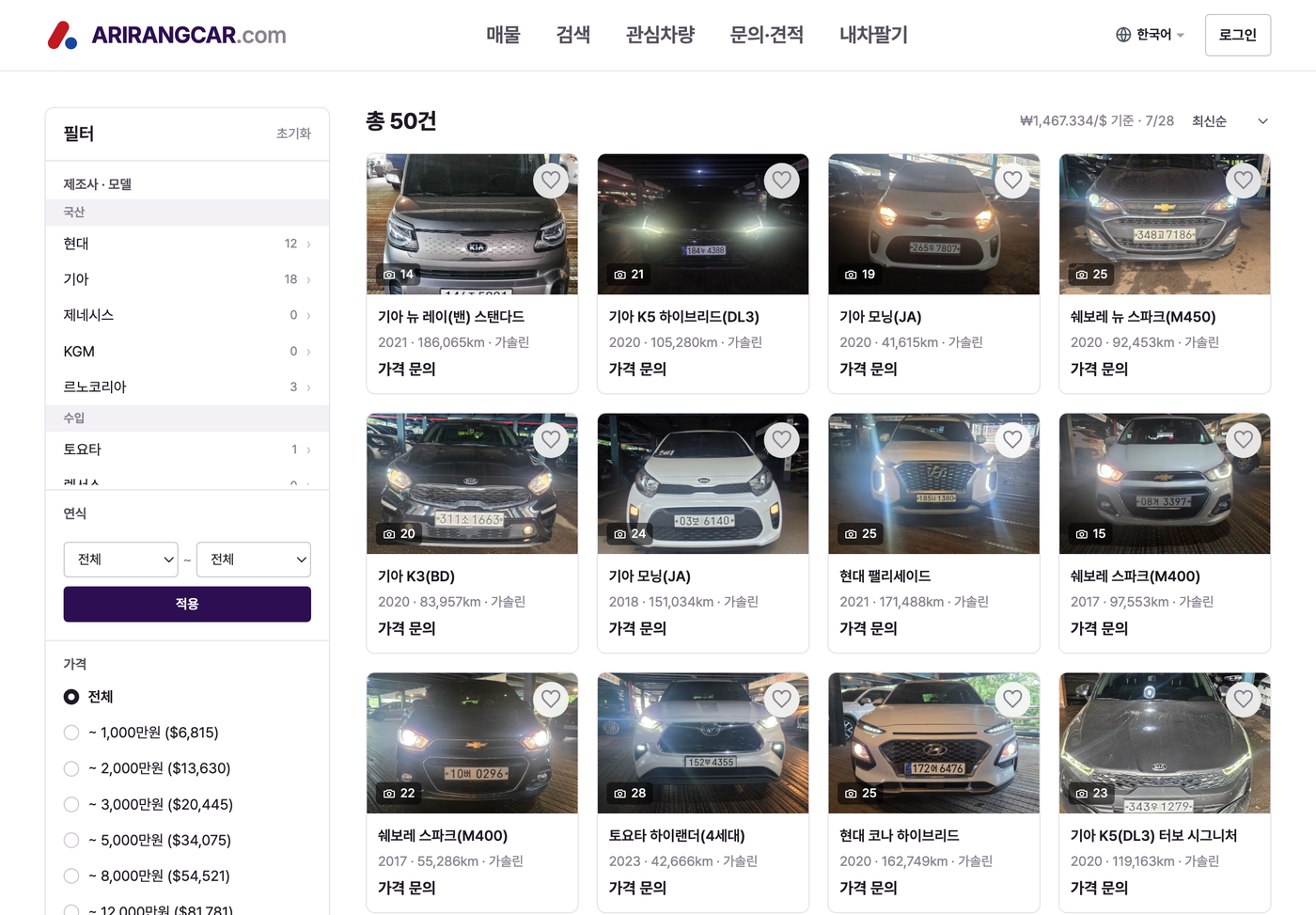
2. The listing detail screen
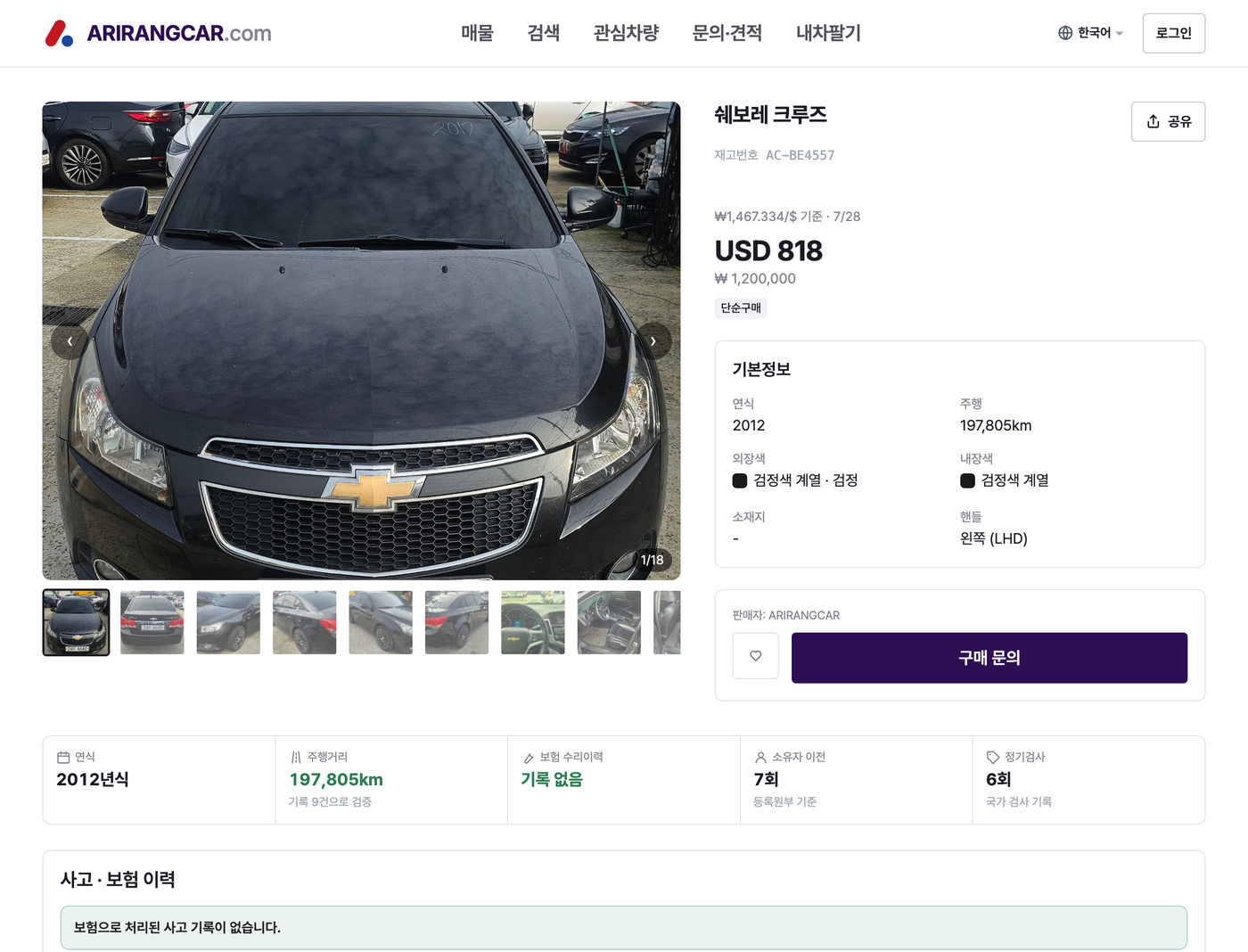
Tap a car to open its detail screen: photos, title & reference number, price, then basic info.
Basic info shows year, mileage, exterior/interior color, location and steering (LHD/RHD). Location is shown only to the city/district level; the full address is private.
3. The 5 key metrics
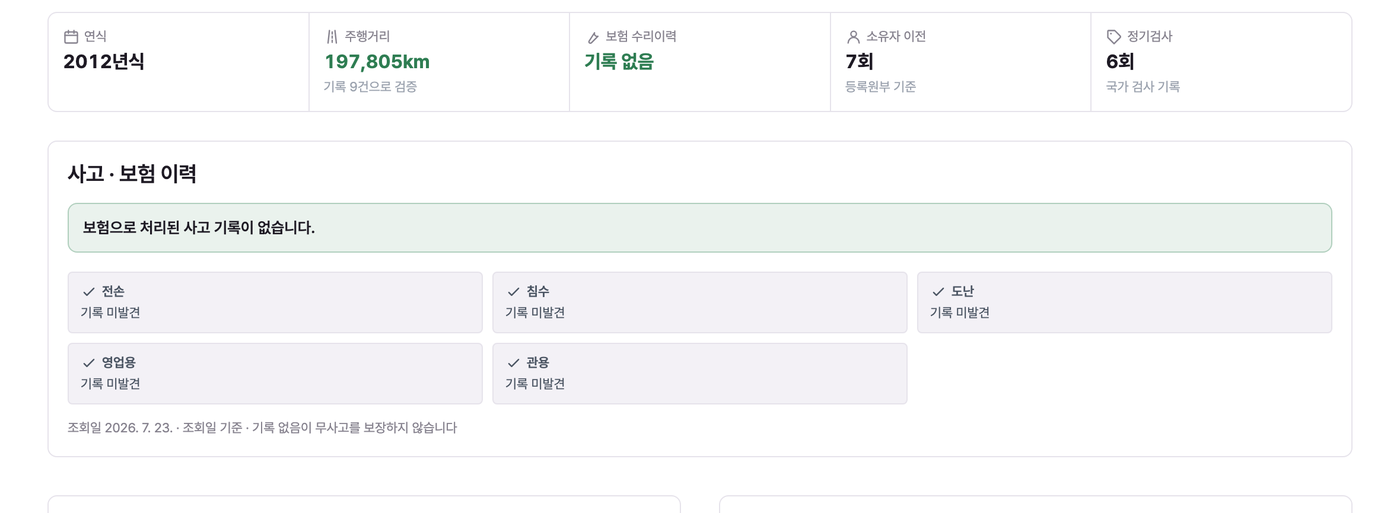
The detail screen surfaces five at-a-glance metrics: year, mileage, insurance repair history, owner transfers and state inspections.
“No record found” ≠ “none”
Verification is based on official records (insurance, inspections). “No record found” means none was found at the time of the check — it does not guarantee the car never had an accident or issue.4. Accident & insurance history
Shows whether there are insurance-settled accident records, and flags for total loss, flood, theft, commercial and government use. The lookup date is shown, along with a note that “no record does not guarantee accident-free.”
5. Mileage verification
Plots mileage recorded in insurance and inspection records over time. A steadily rising line helps you judge whether the odometer looks consistent.
“Verified with N records” indicates how many official records back this chart.
6. Ownership & registration
From the official registry: number of owner transfers, registration changes, first registration date and use type (e.g. private passenger).
7. Verification, export & documents
Shows the inspection validity period, inspection history, the (partly masked) VIN, and which documents are provided (e.g. the vehicle registration certificate).
Verification data comes from official lookups (accident history, registry, specs). Unconfirmed values are hidden rather than guessed.
8. Badges & labels
Inspected
Shown on cars that have passed our inspection. Appears as a badge on the card and detail.
Deregistered
The car’s registration has been cancelled. Common for export vehicles; it does not mean the car is unavailable.
Offer your price
The price isn’t shown publicly; tap “Purchase inquiry” and an agent will share it.
USD & exchange rate
The USD figure is an estimate at that day’s KRW/USD rate; the reference rate and date are shown next to the price.
Next
Found a car you like? See “Buying (buyers)” for saving, inquiring, quotes and ordering.